A place or product is hard to understand from static media
Turn spatial content into a realtime environment that can be explored from the viewpoints that matter to the use case.

Realtime 3D / Interactive Visualization
Turn spatial, architectural or product content into an engine-ready realtime experience while keeping the source data, visual target and runtime constraints connected.
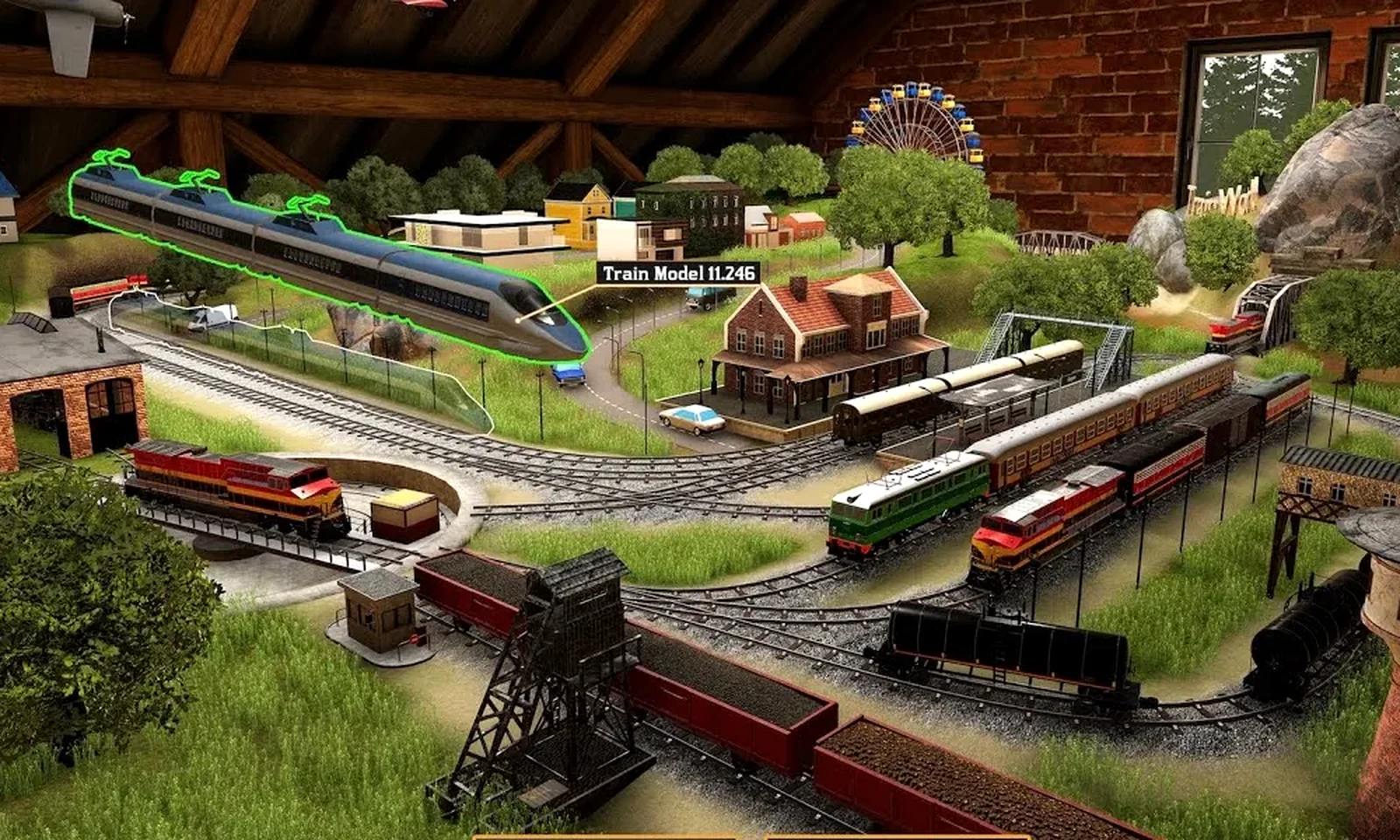
Environment-focused crop from official GameFormatic footage. The documented contribution includes 3D modeling, level design, art direction and development.
Official GameFormatic trailerProblems we solve
Realtime 3D is useful when a place, product or spatial idea needs to become explorable while still respecting source-data, engine and performance constraints.
Turn spatial content into a realtime environment that can be explored from the viewpoints that matter to the use case.
Prepare topology, materials, scale, hierarchy and engine setup while preserving the useful source information.
Structure environments, products and modular content so the interactive layer can evolve without rebuilding everything.
Balance LODs, materials, instancing and scene complexity around the actual target hardware and presentation context.
What we deliver
The scope can cover one hero asset, a prop family or a modular environment set.
Spatial, architectural and product content assembled into an engine-ready realtime scene.
Explorable scenes and presentation-ready realtime structure around the actual user or business use case.
Modular assets, materials, hierarchy and technical setup prepared for continued interactive development.
LOD, materials, instancing, scene complexity and integration tuned around the target device and experience.
Technology context
The DCC workflow should support the engine requirements instead of creating cleanup work at the end.
Modeling, UVs, baking preparation, procedural helpers and production automation.
Asset setup, materials, collision, LODs, instancing and realtime validation.
Engine-ready meshes, materials, import setup and runtime-oriented content preparation.
Textures and material data structured around physically based realtime rendering.
How the work runs
Set visual target, scale, use case, engine requirements and reuse expectations.
Model and texture around the production constraints rather than adding them after the asset is finished.
Prepare pivots, collision, materials, LODs and engine-facing setup.
Check the asset in the target scene and runtime context.
Relevant work
Current work is presented with the production role, engine setup and technical constraints alongside the final visual result.
Bartosz Rozmus integrated supplied architectural models into a reconstructed Gdańsk realtime environment, including terrain, city context, landmarks and optimization for online presentation.
Read ODEA Park case studyAt GameFormatic, Bartosz worked across art direction, environment and 3D production, level design and gameplay implementation in a shipped game.
Read Train Yard Builder case studyRelated guides
The selected Insight documents transforms, pivots, naming, reimport and validation as part of a maintainable Blender-to-Unreal production pipeline.
A practical checklist for predictable content handoff from Blender into Unreal.
Read the production noteRelated services
Materials, shaders, procedural systems and engine integration around the asset.
Explore Technical ArtProfiling and content optimization when asset cost affects the runtime budget.
Explore optimizationBatch processing and tooling when many assets need consistent preparation.
Explore toolsBlender Python, add-ons and export workflows for repeated asset preparation.
Blender ToolsFAQ
Yes. The service is positioned around engine-ready delivery, not only source DCC files.
Yes. A hero prop, a small asset family or a larger modular set can each be scoped independently.
Yes when they are part of the delivery requirements or the target platform needs a dedicated content pass.
Start a project
Send the use case, source models or references, target engine/device and what the viewer needs to understand or do.
A short use-case description plus available source content is enough to start defining a useful realtime scope.
Discuss this service