The same editor task is repeated constantly
Automate setup, placement, conversion, naming, configuration or batch operations that consume production time.

Tools & Automation
Turn manual editor steps, fragile handoffs and repeatable content operations into reliable workflows that fit the way the team already works.
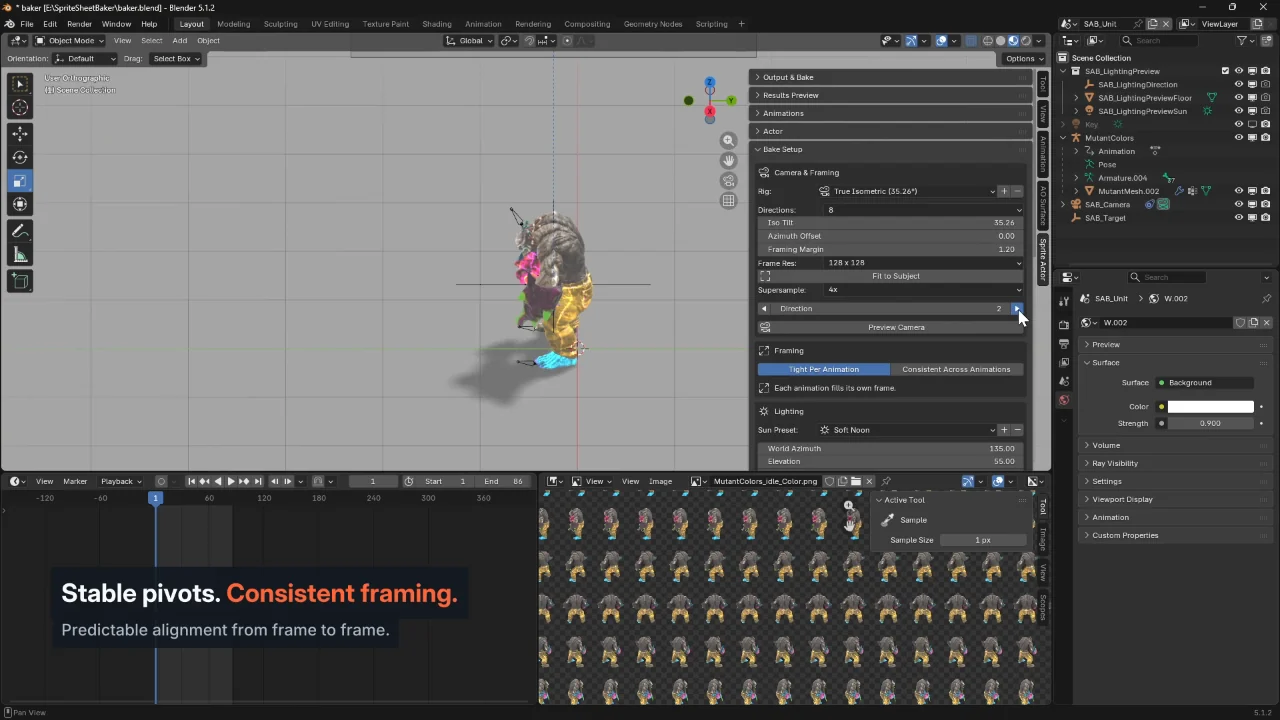 02 / SpriteOrbit bakes selected views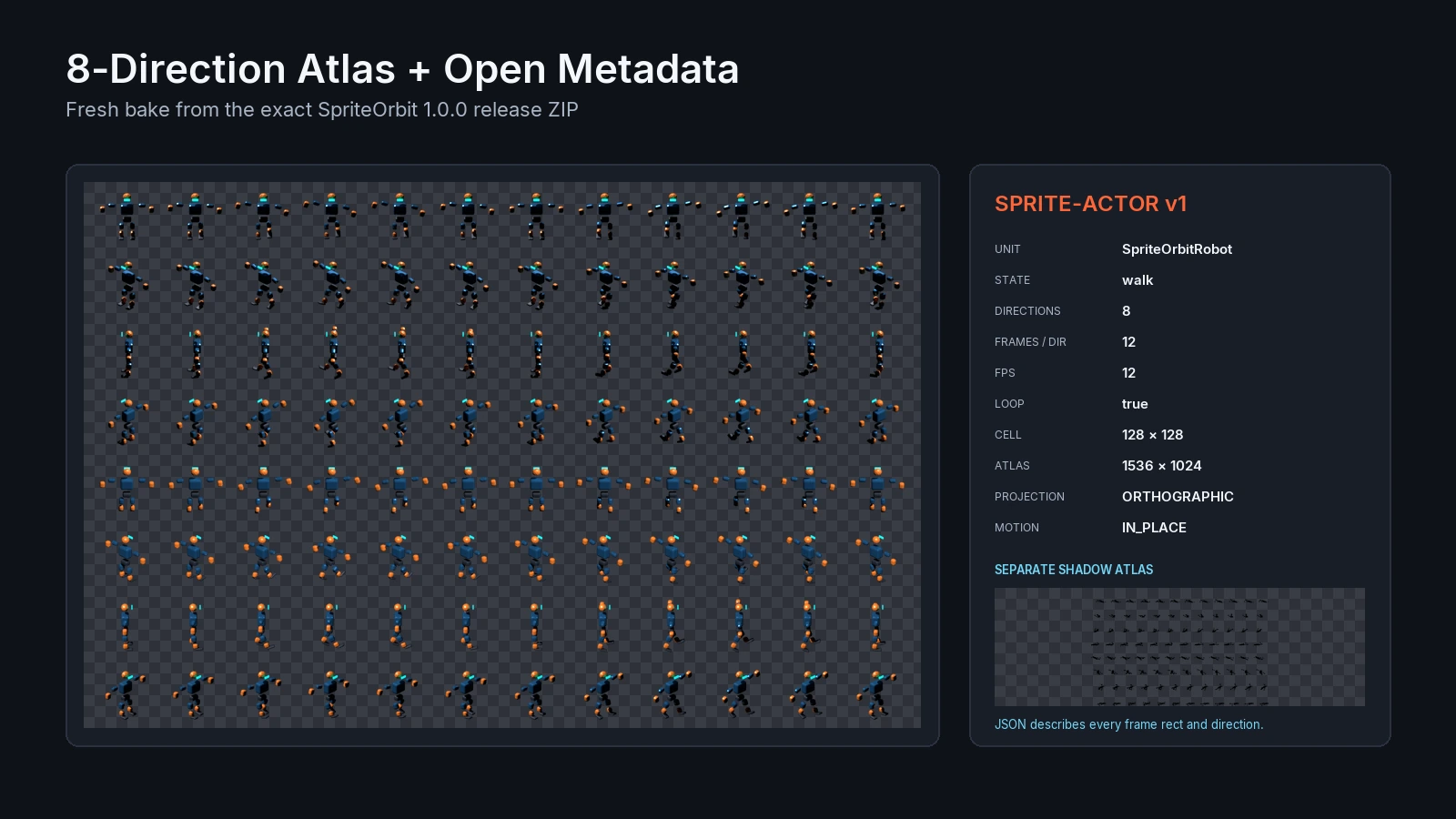
The export replaces rendering and organizing each frame by hand. Time saved is not claimed without measurement.
See output and product features ↗Problems we solve
A small tool can be more valuable than a large system when it removes a repeated production bottleneck.
Automate setup, placement, conversion, naming, configuration or batch operations that consume production time.
Add validation, checks and predictable import/export steps before errors propagate deeper into production.
Build scripts and pipeline helpers that reduce manual translation between Blender, engine content and project conventions.
Create a focused editor or desktop utility around the actual production requirement instead of forcing the process into generic software.
What we deliver
The useful unit can be a tiny batch tool, an editor panel or a larger validation and content-processing workflow.
Editor utilities, Python workflows, Blueprint-assisted tooling and production helpers.
Custom C# editor workflows, inspectors, batch operations and project-specific utilities.
Python scripts, add-ons, exporters, procedural helpers and content-processing workflows.
Validation, naming, conversion, batch processing, import/export and repeatable cross-tool operations.
Technology context
Automation should reduce friction without creating a second system the team now has to maintain.
Editor scripting, Python, Blueprint utilities, asset processing and production-specific editor workflows.
C# editor extensions, inspectors, import processing and repeatable project operations.
Add-ons, operators, exporters, geometry workflows and batch content preparation.
AI can support repetitive production steps where output remains reviewable, deterministic enough and useful to the team.
How the work runs
Map the current workflow and identify the repeated steps, errors and handoffs consuming time.
Remove unnecessary process complexity before automating what remains.
Implement the smallest reliable utility that solves the recurring production problem.
Fit the tool into the existing project conventions and make the workflow understandable to the people using it.
Relevant work
Tooling work is presented through the manual workflow, implemented utility and the production process it replaces where publication is possible.
A real Blender production tool developed by Trueway around repeated 3D-to-sprite workflow problems.
Explore SpriteOrbitAt Gaming Factory, Bartosz Rozmus contributed production tools alongside technical-art and VFX work. The case study keeps that earlier employment context explicit.
Read JDM case studyRelated guides
The selected Insight separates useful editor automation from premature tooling and covers utilities, validation, Python and batch workflows.
A practical guide to choosing the repeated Unreal work that is worth turning into a utility or validator.
Read the automation guideRelated services
Tools that support artists, rendering workflows and content production.
Explore Technical ArtValidation and automation that prevent expensive content patterns from reappearing.
Explore optimizationEditor and gameplay tooling when the workflow is tied directly to production systems.
Explore game developmentFocused editor utilities, Python automation and project-specific Unreal workflows.
Unreal Engine ToolsBlender Python, add-ons, batch processing and engine handoff workflows.
Blender ToolsSee focused products developed by Trueway from recurring production problems, starting with SpriteOrbit.
Explore Trueway ToolsHow to decide when repeated Unreal work should become a utility, validator, Python workflow or batch process.
Read automation guideFAQ
Yes. A focused utility is often the best answer when one repeated workflow is creating disproportionate production cost.
No. Internal production tooling can stay deliberately narrow and live inside the existing Unreal, Unity or Blender workflow.
Yes when it improves a real workflow and the output can be reviewed safely. It should not be added only because AI is available.
Start a project
Describe the current manual workflow, how often it happens and which tools or engines it crosses.
A short screen recording or step-by-step description is usually enough to identify whether automation is worthwhile.
Discuss this service