Device baseline
Agree the headset, build, thermal state and representative interaction.

VR / XR · Optimization
Diagnose the scene that fails on the target device. Separate rendering and application cost before reducing detail or changing interaction.
Example starting scope
Agree the headset, build, thermal state and representative interaction.
Measure stereo rendering, materials, content and CPU work on the target device.
Deliver a diagnosis and the agreed changes with comparable device captures.
Relevant work
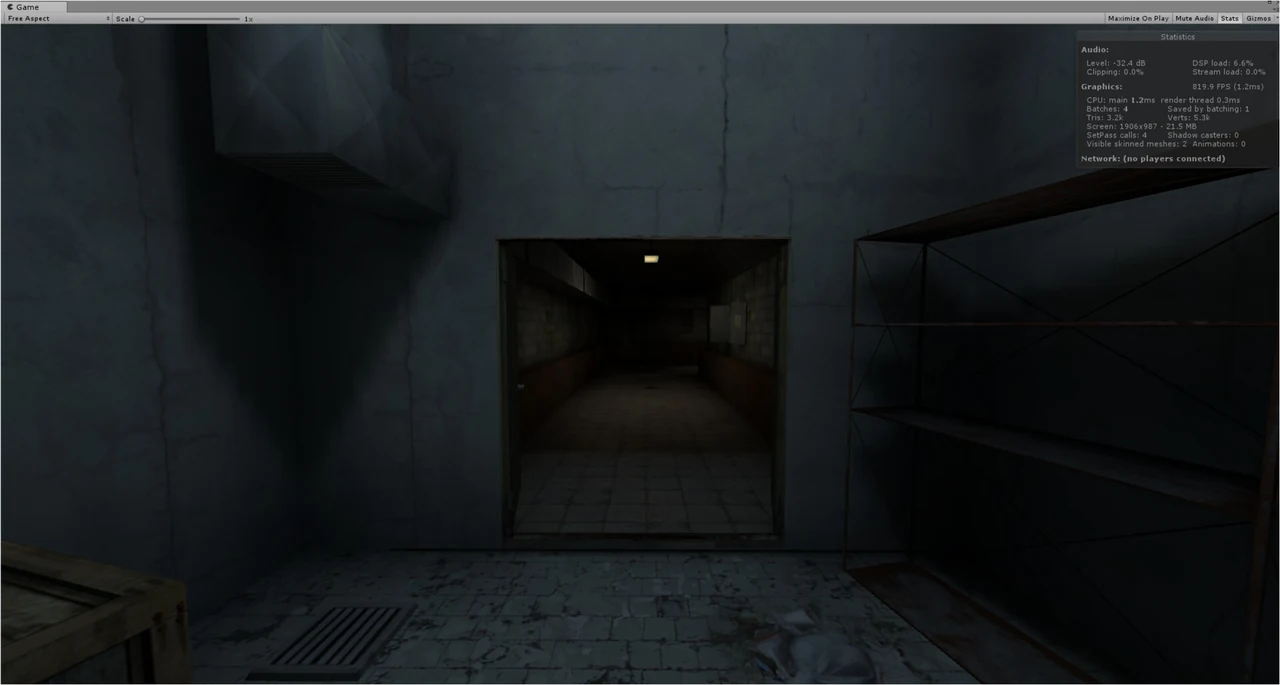
A first-hand example of modular scene production, baked lighting and atlas-based content under mobile constraints. Its published screenshots contain Unity Editor statistics; project-specific headset measurements are a separate deliverable.
What we check
Use on-device measurements for the agreed scenario and quality settings.
Check interaction, visual quality and sustained behaviour alongside frame time.
Related scopes and guides
Yes. The first step can be a focused audit that identifies the dominant bottlenecks and ranks the highest-value changes.
Yes. Standalone XR is specifically where device-side profiling and strict content budgets become most important.
Your project
Send the engine, headset, representative scene and any profiler or frame-time context already available.