Armature / Rig
Rigged subjects use Blender Actions and may export authored travel through root_delta according to the selected motion mode.

SpriteOrbit Documentation
Follow the illustrated Quick Start, then open the reference only when you need more detail. The Mutant export was checked with SpriteOrbit 1.0.0 on Blender 5.2.1 LTS. Use your own character to follow the same workflow.
Quick Start · SpriteOrbit 1.0.0
Follow these steps with your own animated model. The Mutant shown here was exported with the 1.0.0 release on Blender 5.2.1 LTS: Walk, four views, 12 FPS and 256×256 cells. The character is a demonstration asset, not part of the product download.
In Blender, open Edit → Preferences → Get Extensions. Use the menu at the top right → Install from Disk and select SpriteOrbit-1.0.0.zip. Enable SpriteOrbit if requested.
In the 3D View, press N to open the sidebar and choose the SpriteOrbit tab.
Open your animated character file. In Actor, set Subject to its armature and choose an Export Name. Our example uses the MutantColors rig and SpriteOrbitMutant as the export name.
Choose a writable, empty Output folder. Keep textures available or packed in your source file. Subject names depend on your own model.
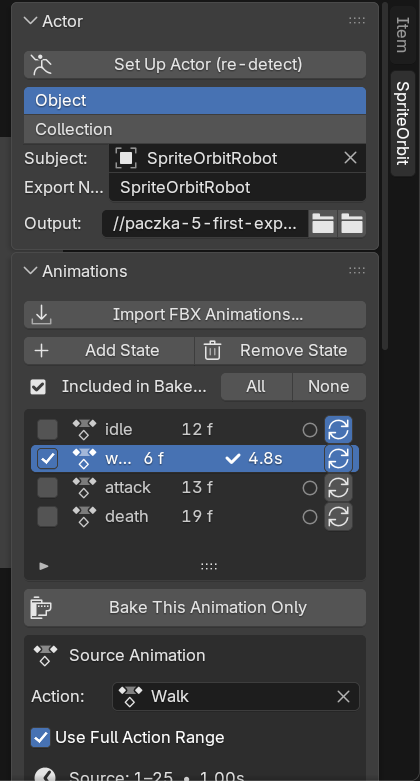
In Animations, add your walking Action or import the FBX animation. Name the state walk and enable Include in Bake only for that state.
Keep Use Full Action Range enabled and Loop on. Set Sprite Output → FPS to 12. Use Locked in Cell when gameplay will control movement. Our source action produces 17 exported frames per view; your action length determines your own frame count.
In Look → Camera & Framing, choose Orthographic, 4 Directions, 256×256 Frame Resolution and 1× Supersampling. Set the azimuth and tilt for the view your game needs.
Use Preview Camera and Measure Framing to check the whole silhouette. For this first export, enable only Lit Color. Choose Cycles with 16 samples; additional passes can be added later.
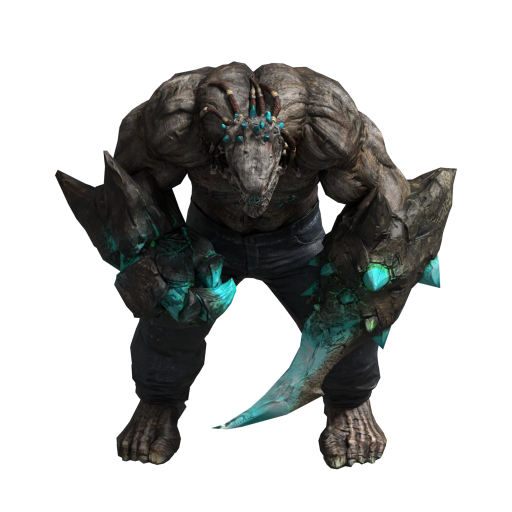
In Bake, choose Bake What Changed. On the first run, it writes the missing files for your included animation.
When it finishes, open Review, select walk and use Show Preview. Check the different Direction values. The preview below plays the actual exported Mutant atlas.
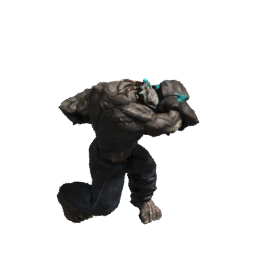
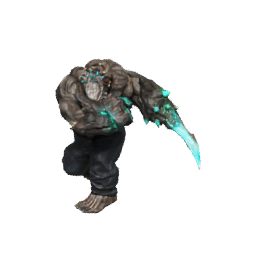
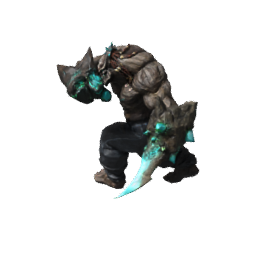
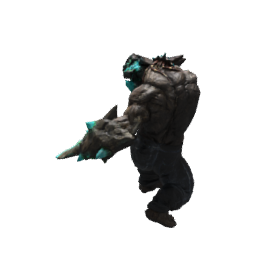
Open Output using the folder icon in Actor. A color-only export produces the atlas, state JSON and unit JSON. Their names use your Export Name and animation state.
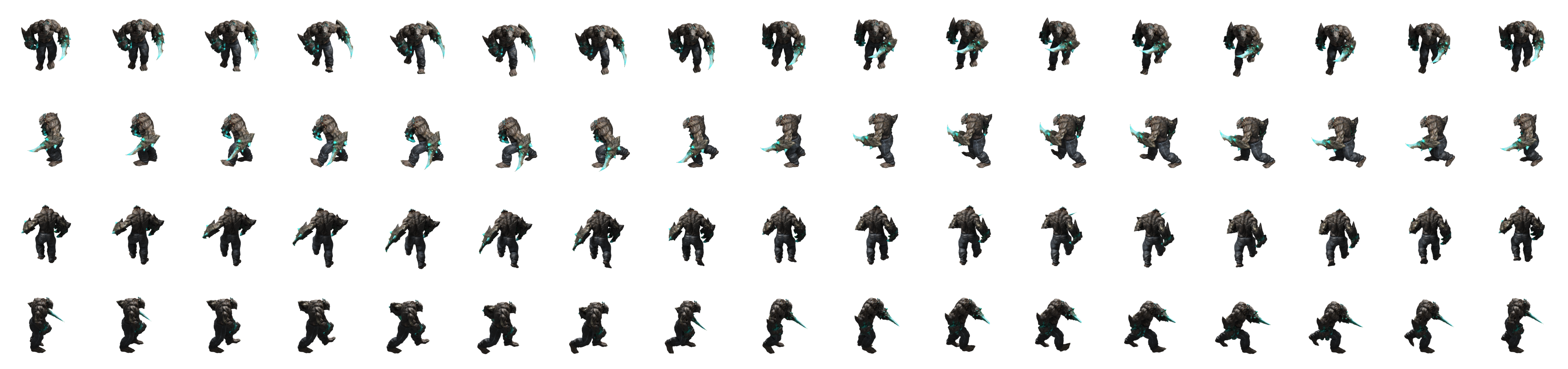
In our worked example the atlas is 4352×1024: 17 frames in each of four rows. Start integration from SpriteOrbitMutant_unit.json and keep the other files beside it. Engine playback is a separate integration step.
Open a topic below. Existing section links remain available.
Subject selection defines which meshes participate in framing, baking and pass generation.
Rigged subjects use Blender Actions and may export authored travel through root_delta according to the selected motion mode.
A root Mesh can be baked without a rig. Its mesh descendants are part of the subject hierarchy.
An Empty with mesh descendants can group a non-rigged actor without introducing a skeletal rig.
A Collection can be the authoring Subject. SpriteOrbit recursively gathers Mesh objects from nested child Collections and exports the existing OBJECT runtime contract.
OBJECT subjects may use an actionless one-frame state. SpriteOrbit does not invent root-motion data for them.
A rig state can reference an existing Blender Action and carry its own frame range, FPS, loop flag and motion mode.
Import selected FBX clips instead of having to ingest every file in a folder.
A long Action/timeline can be divided into separate states using markers.
Imported clips are evaluated for looping behavior so one-shots are less likely to ship as looping states by accident.
During measurement and bake, SpriteOrbit isolates the chosen Action from the NLA stack and restores the artist state afterwards.
Pick the mode based on whether the runtime or the sprite pixels should carry movement.
Removes planar travel from the pixels and exports it in root_delta. Typical for looping Walk/Run when the game moves the actor.
Also exports vertical travel. Useful for compact jump cells when the runtime will apply root_delta.z.
Keeps authored movement inside the sheet. Useful for one-shot motion that should visibly cross the cell, accepting a larger frame.
Lit Color is the main directional atlas. Ground Shadow can be delivered as a separate atlas or baked into the color output.
View-space 2D normals for runtime lighting and material-group IDs for masking/effects.
Linear material-derived emission luminance and source roughness for supported/common shader setups.
Actor-local ambient accessibility plus normalized linear view distance with near/far reconstruction values in metadata.
SpriteOrbit tracks layered fingerprints for layout and individual passes. Bake What Changed evaluates which included states and passes are stale, missing or still current.
Existing output is reused only when its stored fingerprint and required layout/dimensions still match the current contract. A full bake remains available when you want to rebuild deliberately.
A bake writes <Unit>_unit.json as the canonical actor entry point plus one <Unit>_<state>.json file for every baked state. FORMAT.md and the JSON schemas remain the formal technical source of truth.
The unit manifest summarizes states and pass filenames. Per-state metadata contains frame rectangles, camera fit and motion information used for detailed runtime playback.
Use Preview Camera and Measure Framing, then review cell size and framing margin before a full bake.
Review the atlas-size warning and reduce frame rate/range, direction count or cell resolution where the art direction allows it.
Confirm the state references the intended Action/frame range and review the loop/one-shot result for imported clips.
Current builds isolate the selected Action from NLA during measurement and bake. If unrelated NLA still changes output, capture a minimal file and report it.
A layout-level change intentionally invalidates every pass that depends on that layout.
Treat FORMAT.md and the schemas as the contract. Do not infer runtime behavior only from PNG file names.
The optional Unity package was release-validated on Unity 6000.3.24f1 / Windows D3D12 with 110/110 EditMode and 33/33 PlayMode tests plus a standalone GPU smoke. It declares Unity 2021.3 as its minimum; that version did not receive the full release QA matrix.
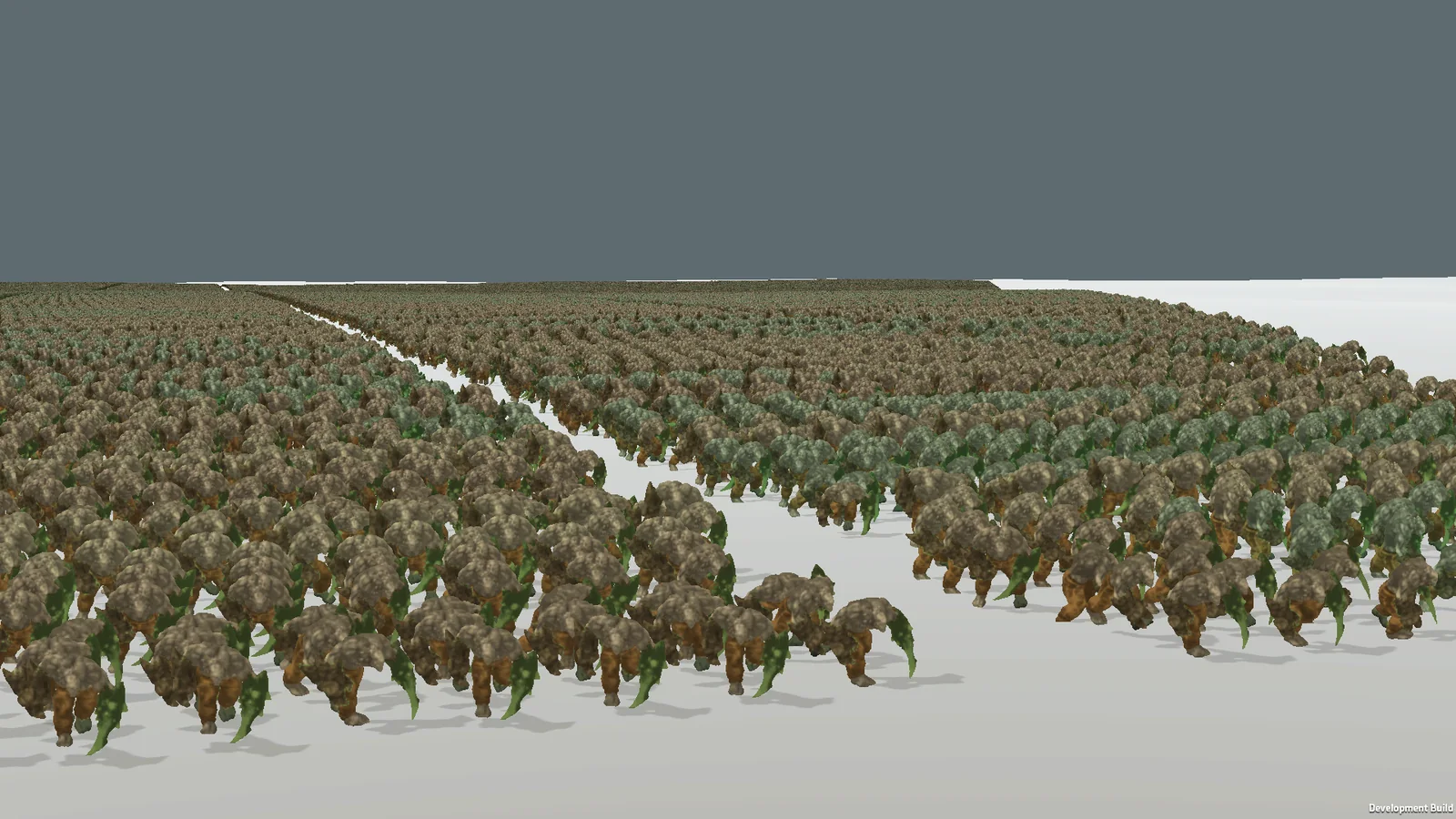
The million-unit demonstration comes from a newer development branch, separate from the validated 1.0.0 package. Recorded configuration: GTX 1050 Ti, Unity 6000.3.24f1, Windows D3D12, 1920×1080, 1,000,000 submitted units, 109.9 FPS average, 8.229 ms GPU. These results apply to that scene and hardware.
Include the Blender version, SpriteOrbit build and the numbered step that failed.
Contact TruewayBenefits, examples and availability.
Back to SpriteOrbit